How the Broadband Health Check works

A speed number on its own is meaningless. The Health Check takes a measurement, compares it to the fastest line your address supports, and lands you on one of five outcomes. Here's what's inside the box.
The Health Check runs Cloudflare's open-source measurement engine (@cloudflare/speedtest) directly in your browser. It opens TCP connections to Cloudflare's nearest UK edge point of presence and pushes / pulls data in both directions while sampling latency between the bursts.
The four numbers we surface:
- Download (Mbps): steady-state median throughput pulling from the edge. We deliberately use the median, not the peak, peak bursts can momentarily exceed the line's capacity (TCP overhead) and don't reflect what real usage feels like.
- Upload (Mbps): same measurement, the other way. Usually a fraction of download on UK consumer lines.
- Latency (ms): round-trip time to the edge. Anything under 30 ms is healthy in the UK; under 15 ms is excellent.
- Jitter + packet loss: variance in latency and the share of test packets that don't come back. Both matter for video calls and online gaming far more than the headline speed number does.
We don't run our own measurement servers, Cloudflare does. Their UK network includes points of presence in London, Manchester, Edinburgh, Cardiff, and a handful of smaller metros. Your browser is automatically routed to whichever is closest by network latency, not physical distance.
That's also why your number might differ from your ISP's own speed test. ISP-hosted tests usually run against a server inside their own network, they bypass internet peering entirely. That gives a flattering number but doesn't represent what you experience when you load Netflix or BBC iPlayer. Our measurement uses real-world internet routing, like a streaming service or a Zoom call would.
We join your measurement to Ofcom Connected Nations data. Specifically, the maximum supported download speed for your postcode, the upper bound of what your line could deliver today, accounting for the infrastructure that physically reaches your address.
The Connected Nations dataset is refreshed quarterly and disaggregated to the postcode level (with disclosure suppression on very small postcodes). We import the bulk release into broadband_data and look up max_download_speed by postcode at diagnosis time. No external Ofcom API call happens during your test, the answer comes from our local copy and lands in milliseconds.
Two ratios drive the routing:
- Performance ratio = your measured download ÷ what you're paying for. We use the median speed of your provider's catalogue as the best-guess advertised speed.
- Capability gap = your address's maximum supported speed ÷ your measured download. How much headroom your line has left.
The five outcomes:
- A · No issue. Performance ratio ≥ 85 %, capability gap below ~2×. You're getting what you pay for and your line isn't dramatically under-used.
- B · Underused address. Performance ratio ≥ 85 %, capability gap ≥ 2×. Your line is doing its job but your address can deliver much more, there's a meaningful upgrade worth comparing.
- C · Under-performing. Performance ratio < 70 %. Whatever you're paying for, you're not getting. We hand you to the troubleshooter, six steps, most resolved in step 1 or 2.
- D · Feels slow but spec. Triggers only when you told us you're asking “why does it feel slow” AND the data says your line is fine. The culprit is usually WiFi range, an aging router, or peak-time congestion, not the broadband. Same troubleshooter, different framing.
- E · Dropping packets. Triggers when the engine measured ≥ 1 % packet loss. Speed can look fine and still be a poor connection, video calls stutter, games rubber-band, pages occasionally fail to load. This is the signature of a line-sync fault, noisy copper, or kit failing. Same troubleshooter, but the conclusion is usually “open a fault ticket with packet-loss evidence”.
The thresholds (85 %, 70 %, 2×, 1 % packet loss) are deliberately static in v1. Ofcom's voluntary code of practice uses 50 % of advertised average as the intervention threshold (under which the provider must escalate). We use 85 % as the aspirational threshold, getting only 70 % of what you pay for is technically within Ofcom's range but isn't “fine”. The 70 % bottom band is where we tell you it's actively under-performing. The 1 % packet-loss mark matches the “noticeable degradation” threshold from the same Ofcom code, anything above it is actionable as a fault, regardless of throughput.
The static thresholds above are our v1 hypothesis. They sit in code, named, with comments, see lib/speed-test/diagnosis.ts in our repository.
We commit to re-baselining quarterly against actual data once public.speed_tests has enough rows to compute UK-wide percentiles. If the median UK measurement shifts materially between calibration windows, we update the thresholds and note the change in this section's change log. The four-branch shape stays constant; the ratios that route between them are tuned, not invented.
Every completed Health Check writes one row to public.speed_tests. The row contains:
- Your four measurement numbers (download, upload, latency, jitter, packet loss).
- The postcode you provided (full postcode, not a sub-unit).
- The provider you told us, if any.
- Which diagnosis branch you landed on.
- A device-type label (desktop / mobile / tablet) and country code.
- A per-page-load session id, regenerated each visit, not a tracking cookie.
We do not store your IP address, your name, your email (unless you explicitly opt in to alerts), or any cookie. Country comes from Vercel's edge-injected header, we read it once, write the two-letter code to the row, and never touch the IP itself.
The data feeds two downstream surfaces:
- The outage detector. When ≥ 10 tests in the same provider × postcode-district × hour bucket return less than half their baseline, that's our earliest first-party signal of a probable outage. Useful even before any provider acknowledges it.
- Methodology calibration. See the previous section, the static thresholds we route the diagnosis against are tuned quarterly against this dataset.
No individual row is ever shared, exported, or published. Aggregate insights (e.g. “X % of Virgin Media tests in postcode district SW1 returned < 50 Mbps in the last month”) might inform an editorial piece, but the underlying rows stay on our server.
Branch B (underused address) is the only branch that recommends a specific deal. The recommendation is the cheapest deal in our catalogue whose speed is at least 1.5× what you measured, biased toward fixed-price deals when prices are within 10 % of each other.
Clicking through doesn't fire an affiliate URL directly. You land on the deal's product page, where the existing address-gate verifies your postcode is in service before handing you off to the provider. We get paid only when the provider attributes a sign-up, not for clicks alone, so the recommendation logic has no incentive to push you toward a deal you can't actually buy.
If a diagnosis looks wrong, the thresholds feel off, or you spot a discrepancy between our number and a same-device test elsewhere, please get in touch. We read every email and the threshold-tuning policy above means the data you flag actually changes the engine.
More from the blog
Browse all guides →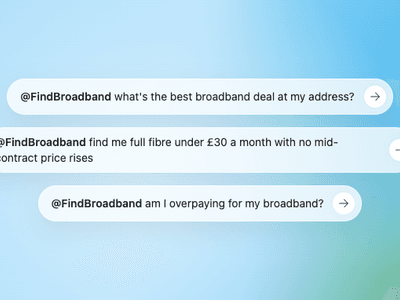
Ask ChatGPT about your broadband bill. It now asks us.
FindBroadband is now a ChatGPT plugin and an open MCP endpoint, so any AI assistant can check the deals at your address and tell you whether you are overpaying, using our numbers, not its own.

The Dorset areas still stuck without full fibre
Dorset averages 72.2% full fibre, but eight of its villages are still stuck at zero. This is who is missing out, why they are last and what residents can do about it.




Go Compare Alternative: Why People Look Elsewhere for Broadband
Go Compare runs a real broadband comparison, but it is an insurance site at heart, partner-panel not whole-of-market and not Ofcom-accredited for broadband. Why people look elsewhere, the alternatives and when Go Compare is still the right call.

 +2
+2Uswitch Alternative: Why People Switch and What They Use Instead
Uswitch is a fine multi-utility site. For broadband on its own it isn't Ofcom-accredited or whole-of-market. Why people leave, the alternatives and when to stay put.
Compare at your address
See deals at your address
Drop in your postcode for the live shortlist, speeds, prices, and which providers actually reach your line.